Most parents hit a wall at some point. Their child is at school, at a friend’s house, or simply refuses to hand over the phone — and yet something feels off. The worry grows quietly. Is my child talking to someone unsafe? Are they visiting harmful websites? Is someone manipulating them online?
The question that follows is almost always the same: “Is there a spy app that works without me touching the target phone at all?”
The short answer is: yes, for iPhones — and partially for Android. But before you download anything or hand over payment information to an unknown service, you need to understand exactly what’s possible, what isn’t, and how to tell a legitimate tool from a scam.
This guide covers everything you need to know in 2026.
What Does “Without Target Phone Access” Actually Mean?
When people search for a spy app without target phone access, they usually mean one of two things:
- They want to set it up without ever physically holding the target device, or
- They want to monitor it remotely after a one-time setup, without needing to touch the phone again
These are two different things — and it matters which one you actually need.
The first scenario — zero physical access, ever — is only fully achievable on iPhones, thanks to Apple’s iCloud backup system. The second scenario — brief one-time access, then everything remote — is how Android monitoring works with legitimate apps.
Understanding this difference will save you time, money, and frustration.
Option 1: iPhone Monitoring via iCloud — Truly No Physical Access Needed
For iPhones, SpymasterPro offers a genuine no-physical-access solution using Apple’s own iCloud infrastructure. This is the closest thing to invisible, truly remote monitoring that exists in 2026.
Here’s how it works:
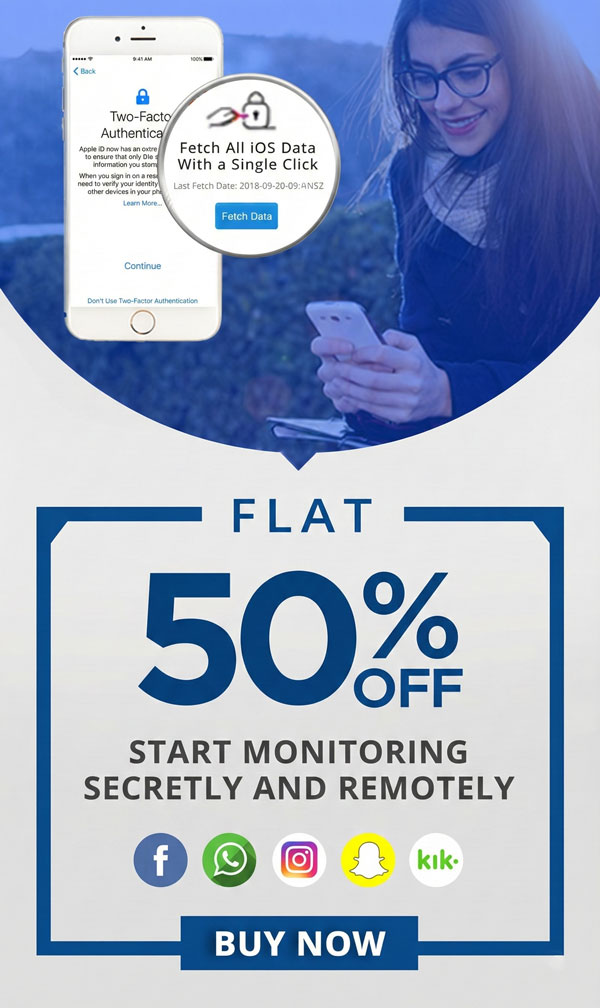
Apple continuously backs up iPhone data to iCloud — including messages, call logs, GPS location history, photos, contacts, browsing history, and app activity. SpymasterPro connects to that iCloud backup using the target user’s Apple ID credentials and pulls all that synced data into your private, secure control panel.
What you need:
- The target iPhone’s Apple ID email and password
- Two-factor authentication approval (a one-time code sent to the device, if 2FA is turned on)
Once connected, you don’t need to touch the phone again. Everything updates automatically as new backups occur.
What you can monitor on iPhone remotely:
- iMessages and standard SMS conversations
- Incoming and outgoing call history with timestamps
- Real-time and historical GPS location
- Safari and Chrome browsing history
- Photos and videos backed up to iCloud
- Notes, calendar events, and reminders
- Contacts list and recently added numbers
- App-level data for supported applications
No app installation. No jailbreak. No rooting. No touching the phone. This is the most complete truly-remote monitoring solution available for iPhones.
Option 2: Android Monitoring One-Time Physical Access, Then Fully Remote
Android is a different story, and it’s worth understanding why.
Unlike Apple, Google does not provide a centralized cloud system that third-party applications can read monitoring data from. Every Android phone is also different — different manufacturers layer their own software on top of Android, making a universal cloud-based solution technically impossible without violating Google’s security architecture.
This means that for full Android monitoring, you need physical access to the device once, typically for just 5 to 10 minutes.
During that one-time setup, SpymasterPro is installed directly on the target Android device. The process is straightforward — SpymasterPro sends complete step-by-step instructions to your email after purchase, and most users complete the setup in under 10 minutes.
After installation:
- The app runs silently and completely in the background
- It does not appear in the app drawer, home screen, or recent apps
- It is not visible in the phone’s notification panel
- It cannot be detected by the device’s owner
- All monitored data syncs to your control panel in real time
So while the initial setup requires brief physical access, everything that follows is completely remote. You never need to touch the phone again.
What you can monitor on Android:
- WhatsApp chats, media files, and voice messages
- SMS messages and MMS
- All incoming and outgoing call logs
- Real-time GPS location and movement history
- Instagram direct messages and activity
- Snapchat messages and media
- Facebook Messenger conversations
- Browser history across Chrome and Firefox
- All installed and recently added applications
- Keylogger — every keystroke typed on the device
- Email monitoring — Gmail and other accounts
- Multimedia files — photos and videos on the device
Why You Should Be Cautious of Apps Claiming Full No-Access Android Monitoring
If you come across a website or service claiming they can monitor any Android phone — remotely, with zero physical access, using nothing more than a phone number — pause before you spend anything.
This claim is either:
- A scam designed to take your payment and deliver nothing, or
- A technically illegal method involving security exploits or unauthorized system access
Android’s security model was specifically built to prevent the remote installation of applications without the device owner’s action. Any service claiming to bypass this is either misleading you or using methods that put you at legal risk.
Legitimate monitoring software like SpymasterPro is transparent about what is technically achievable. That honesty is actually a sign of a trustworthy product. The brief one-time Android setup is not a limitation — it is the legitimate way to do this properly.
Who Is SpymasterPro Designed For?
SpymasterPro is built specifically for legal, responsible monitoring with a clear purpose. The primary use cases are:
Parents of minor children — Keeping your child safe online is both your right and your responsibility SpymasterPro gives you visibility into who your child is talking to, what content they are consuming, and where they are physically located — without being invasive or requiring you to remove their device.
Employers managing company devices — If your staff use company-issued phones, you have a legitimate interest in how those devices are used during work hours. SpymasterPro can monitor usage on devices your organization owns
Individuals securing their own devices — If you want to keep a backup of your own data or verify activity on a phone you own, SpymasterPro covers this too.
SpymasterPro always advises users to inform the monitored person where legally required, and to comply with all applicable laws in their country or region.
Common Signs You Need a Monitoring App Right Now
If you’re still on the fence about whether monitoring is the right step, here are some situations where parents have found it necessary:
- Your child suddenly becomes secretive about their phone and hides the screen when you walk by
- They are online late at night when they should be sleeping
- Their behaviour has changed — mood swings, withdrawal, or unusual anxiety
- You’ve found concerning messages or apps, but don’t know the full picture
- They have recently started communicating with unknown contacts
- You’ve had previous conversations about online safety that haven’t led to change
These are not signs of distrust — they are signs of parental concern. Monitoring in these situations is responsible, not invasive.
What Makes SpymasterPro Stand Out in 2026
The parental control and monitoring app market has grown significantly in recent years. SpymasterPro has remained a leading choice for several reasons:
No root required for Android — Many older monitoring apps required you to root the Android device, which voids warranties and destabilizes the phone. SpymasterPro works on all major Android versions without any rooting.
No jailbreak required for iPhone — Similarly, jailbreaking an iPhone introduces security vulnerabilities. SpymasterPro’s iCloud method requires neither jailbreak nor any modification to the device.
Compatible with all major devices — From iPhone to Samsung Galaxy, Xiaomi, Oppo, Vivo, OnePlus, and more. Both Android and iOS are fully supported.
24/7 customer support — Set up questions, technical issues, or billing queries — the support team is available around the clock.
Affordable pricing — Plans start at just $7.99 per month, making professional-grade monitoring accessible without a large budget.
Multilingual support — SpymasterPro is available in English, Spanish, Italian, Portuguese, German, Arabic, French, Dutch, Turkish, and Thai — serving families across the globe.
How to Get Started with SpymasterPro
Getting started takes less than 10 minutes:
Step 1 — Choose your plan
Visit spymasterpro.com/buynow and select an Android or iOS subscription based on the device you want to monitor.
Step 2 — Receive setup instructions
After purchase, you will receive a complete setup guide to your email. For iPhone, you will need the iCloud credentials. For Android, you will need brief physical access to the device.
Step 3 — Log in to your dashboard
Use the login details sent to your email to access your SpymasterPro control panel from any browser or device — and start monitoring immediately.
Final Thoughts
A spy app without target phone access is completely real and functional — for iPhones, using Apple’s iCloud infrastructure. For Android, a brief one-time setup is necessary, but everything after that is entirely remote.
Either way, SpymasterPro provides a reliable, discreet, and legal solution for parents and guardians who need to stay informed about digital activity on the devices that matter most to them.
If you are ready to take the first step toward safer, more informed digital parenting, try SpymasterPro today.
Frequently Asked Questions
Q: Can I spy on a phone without having it physically?
A: Yes — for iPhones, SpymasterPro works via iCloud credentials with zero physical access. For Android, a one-time 5 to 10 minute installation on the device is required, after which everything is remote.
Q: Does SpymasterPro work without installing anything on the target phone?
A: For iPhones, yes — no installation is required at all. For Android devices, the app must be installed once on the target phone before remote monitoring can begin.
Q: Will the target phone owner know they are being monitored?
A: No. SpymasterPro runs in fully hidden mode on Android and leaves no visible trace on iPhone. It does not appear in the app list, notification panel, or anywhere on the screen.
Q: Is it legal to use a spy app?
A: It is legal for parents to monitor their minor child’s device in most countries. Employers can monitor company-owned devices with employee consent. Always follow the specific laws that apply in your country.
Q: Does SpymasterPro require rooting or jailbreaking the phone?
A: No. SpymasterPro works on Android without root and on iPhone without jailbreak. No modifications to the device are needed.
Q: What happens if the target person changes their iCloud password?
A: You will need to update the credentials in your SpymasterPro dashboard to continue syncing data. The app will prompt you if the connection is interrupted.